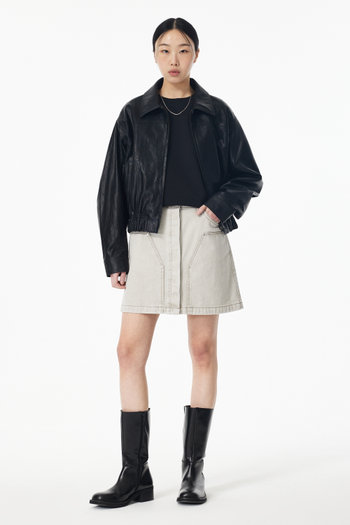
ProductUnit
Astro
컬러칩-이미지
<ProductUnit link="#" brand="BRAND NAME" name="PRODUCT NAME" price="000,000" discount="20%" media={{ src: `/dummy/images/s3/goods/org/764/250218059189764.jpg?RS=350&SP=1`, alt: "", width: 350, height: 525, }} rank={1} tags={{text: "EXCLUSIVE", bgcolor: "#fff", txtcolor: "#000"}} lensButton={true} keywords={["신상", "기프트", "도착보장"]} dim={true} colorindex={0} maxColors={14} colors={["#c75d45", "#484e58", "#d3a294"]}/>컬러칩-컬러코드 / 품절 상태 (키워드 자동 숨김)
<ProductUnit link="#" brand={"BRAND NAME".repeat(10).trim()} name={"PRODUCT NAME".repeat(10).trim()} price="000,000" discount="20%" media={{ src: `/dummy/images/s3/goods/org/764/250218059189764.jpg?RS=350&SP=1`, alt: "", width: 350, height: 525, }} tags={{text: "EXCLUSIVE", bgcolor: "#fff", txtcolor: "#000"}} rank={2} lensButton={true} keywords={["신상", "기프트", "도착보장"]} dim={true} star={4} status="품절" statusClass="v-soldout" maxColors={14} colors={["#fff", "#da291c", "#25c2d3", "#B26161", "#000000", "#715E5E", "#B23030", "#6168B2", "#FFBCBC", "#FFDF81", "#666", "#666", "#eeeeee", "#eeeeee", "#cccccc", "#cccccc", "#777", "#777", "#FAF5E6", "#FAF5E6"]}/>Props:
isLink?: boolean:false면 wrapper로 div 사용colorindex?: number: 0 이면 이미지, 그 외에는 컬러코드 표현maxColors?: number: 노출 최대 개수 (기본 10)colors?: string[] | { code?: string, src?: string, alt?: string, colorname?: string }[]: 컬러코드 표현시 colors.code, 이미지 표현시 colors.src 혹은 colors.code값 사용
HTML
<!-- 품절 처리 클래스 (키워드 자동 숨김): v-soldout --><div class="v-product-unit v-soldout"> <div class="v-product-unit__media-grid"> <a href="#" class="v-product-unit__link"> <!-- 이미지 영역 딤처리 클래스: v-media-embed--dim --> <div class="v-media-embed v-media-embed--dim v-product-unit__media"> <img class="v-media-embed__element v-media-embed__image" src="/dummy/images/s3/goods/org/764/250218059189764.jpg?RS=350&amp;SP=1" alt="" width="350" height="525" /> </div> </a>
<!-- 찜하기 --> <div class="v-product-unit__top-right"> <!-- 찜상태: "on" 클래스 추가 --> <button type="button" title="찜하기" data-command="toggleWish" class="v-button v-wish-button v-product-unit__wish-button on" > <svg fill="none" viewBox="0 0 24 24"> <path stroke="currentColor" stroke-miterlimit="10" d="M19.658 5.587a4.475 4.475 0 0 0-6.478 0L12 6.806l-1.18-1.22a4.475 4.475 0 0 0-6.478 0c-1.79 1.85-1.79 4.847 0 6.697L12 20.2l7.658-7.916c1.79-1.85 1.79-4.847 0-6.696Z" ></path> </svg> </button> </div> <!-- /찜하기 -->
<!-- 이미지 검색 --> <div class="v-product-unit__bottom-right"> <button type="button" title="이미지 검색" class="v-button v-lens-button v-product-unit__lens-button" > <svg fill="none" viewBox="0 0 24 24"> <circle cx="12" cy="12" r="4.5"></circle> <path d="M3 21H9V22H2V15H3V21ZM22 22H15V21H21V15H22V22ZM9 3H3V9H2V2H9V3ZM22 9H21V3H15V2H22V9Z" fill="currentColor" ></path> </svg> </button> </div> <!-- /이미지 검색 -->
<!-- 랭킹 --> <div class="v-product-unit__bottom-left"> <span class="v-product-unit__rank"> 01 </span> </div> <!-- /랭킹 --> </div>
<a href="#" class="v-product-unit__link"> <div class="v-product-unit__content"> <!-- 브랜드명, 상품명 줄 수 제한/말줄임 클래스. 요건에 맞춰 적용해주세요. - `v-truncate`: 1줄 - `v-line-clamp-2`: 2줄 - `v-line-clamp-${n}`: n줄 --> <div class="v-line-clamp-2 v-product-unit__brand">BRAND NAME</div> <div class="v-line-clamp-2 v-product-unit__name">PRODUCT NAME</div>
<div class="v-product-unit__price-group"> <span class="v-product-unit__discount">20%</span> <span class="v-product-unit__price">000,000</span> </div>
<div class="v-product-unit__keywords"> <span class="v-product-unit__keyword">신상</span> <span class="v-product-unit__keyword">기프트</span> <span class="v-product-unit__keyword">도착보장</span> </div>
<div class="v-product-unit__ratings"> <div class="v-star-rating"> <div class="v-star-icons"> <svg viewBox="0 0 68 12"> <title>별점</title> <path fill="currentColor" fill-rule="evenodd" d="m6 9-3.527 1.854.674-3.927L.294 4.146l3.943-.573L6 0l1.763 3.573 3.943.573-2.853 2.781.674 3.927ZM20 9l-3.527 1.854.674-3.927-2.853-2.781 3.943-.573L20 0l1.763 3.573 3.943.573-2.853 2.781.674 3.927zM34 9l-3.527 1.854.674-3.927-2.853-2.781 3.943-.573L34 0l1.763 3.573 3.943.573-2.853 2.781.674 3.927zM48 9l-3.527 1.854.674-3.927-2.853-2.781 3.943-.573L48 0l1.763 3.573 3.943.573-2.853 2.781.674 3.927zM62 9l-3.527 1.854.674-3.927-2.853-2.781 3.943-.573L62 0l1.763 3.573 3.943.573-2.853 2.781.674 3.927z" clip-rule="evenodd" ></path> </svg> </div> <div class="v-star-meta"> <span class="v-star-score">4</span> <span class="v-star-rating__review-count">(00)</span> </div> </div> </div>
<div class="v-product-unit__state"> <span class="v-soldout">품절</span> </div>
</div> </a>
<!-- 컬러칩 --> <div class="v-product-unit__colors"> <!-- 컬러칩 선택 상태 노출 처리를 별도로 할 경우 data-commandscope="buttonGroup" 및 data-command="togglePressed" 속성 제거해주세요. --> <ul class="v-product-unit__chip-list" data-commandscope="buttonGroup" >
<!-- CASE1 - 컬러칩: 이미지 --> <li> <button type="button" aria-pressed="true" class="v-product-unit__chip" data-command="togglePressed" > <img src="/dummy/images/color/color-c75d45.jpg" alt="#c75d45"/> </button> </li>
<!-- CASE2 - 컬러칩: 컬러코드 --> <li> <!-- 체크 색상 검은색 처리: v-product-unit__chip--light --> <!-- 컬러칩 라인 처리: v-product-unit__chip--line --> <button type="button" aria-pressed="true" class="v-product-unit__chip v-product-unit__chip--light v-product-unit__chip--line" style="border: 1px solid #e0e0e0" data-command="togglePressed" > <span style="background-color: #fff"> #fff </span> </button> </li> ...
<!-- 더보기 버튼 (컬러칩 2줄 초과 시 노출) --> <li> <div class="v-product-unit__chip v-product-unit__chip--more"> <svg viewBox="0 0 24 24" fill="none"> <title>추가 색상 옵션이 존재합니다</title> <circle cx="12" cy="12" r="12" fill="none"></circle> <path d="M12 23.5a11.5 11.5 0 1 0 0-23a11.5 11.5 0 0 0 0 23ZM6.545 12H17.455M12 6.545v10.91" stroke="#E0E0E0" ></path> </svg> </div> </li> </ul> </div> <!-- /컬러칩 --></div>